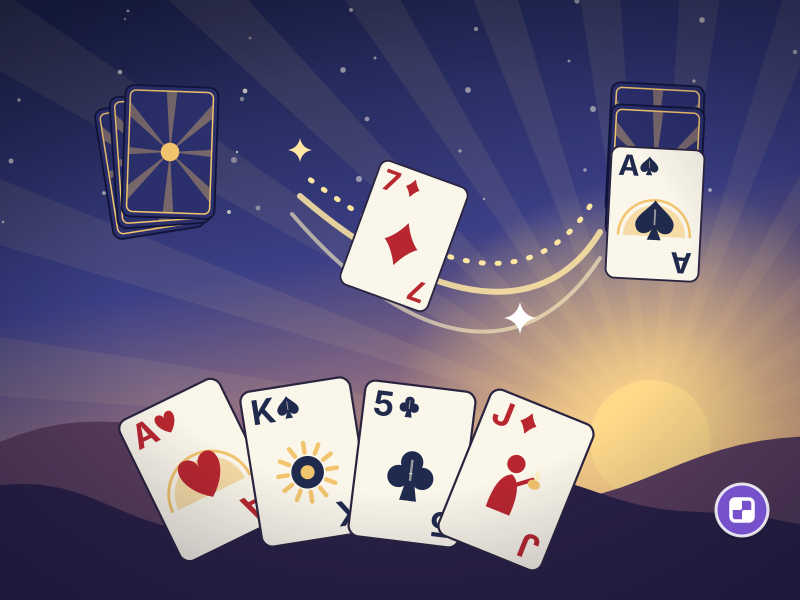
Dawn Deck brings classic solitaire (patience) to short breaks: it starts with small tables and works up to seven columns over 24 levels. A turned card stays turned, and the Dawn Breeze frees a stuck column.
Build the columns downward in alternating colors and fill the four foundations from ace to king. A turned card stays turned; with the Dawn Breeze you earn from cards sent to the foundations, you send a lone face-up card to the bottom of the deck and turn over the face-down card beneath it. A 24-level Dawn Road, a new hand every day and a Classic Table with the classic rules.
Step by step
Tap a card and it flies to its best spot, or drag and drop it yourself. On a keyboard, pick with the arrow keys and take and drop with Space or Enter.
Build the columns downward in alternating colors. Only a king can start an empty column; on short tables, only the highest card, the one with a sun.
Tap the deck to draw a card. Move each suit from ace to king onto its foundation. When every card is home, the sun comes up.
Each hand starts with one Dawn Breeze; every 4 cards sent to the foundations earn another (max 2). Tap the sun, then a column whose lone face-up card sits on face-down cards: it goes under the deck and the card beneath turns over.
Tips
A turned card stays turned, and Undo only goes back to it, so experiment freely before you turn a card.
Stay under the target move count for three stars; using a hint caps the hand at two. Save the Dawn Breeze for a column whose only face-up card has nowhere to go.
Game facts
Round length
1–5 min per hand
Computer
Arrows pick a card; Space or Enter takes and drops; pressing again sends it to its best spot. Dawn Breeze: go to the sun, Space, pick a column. Mouse works too.
Phone
Tap a card to send it to its best spot, or drag and drop it. Tap the deck to draw. Tap the sun or the Dawn Breeze button, then a column with one face-up card.
Date added
Version
1.0.0
On every device: phone and computer, portrait or landscape
Frequently asked questions
Can I play Dawn Deck on my phone?
Yes. On your phone: Tap a card to send it to its best spot, or drag and drop it. Tap the deck to draw. Tap the sun or the Dawn Breeze button, then a column with one face-up card.
How do I play Dawn Deck on a computer?
Arrows pick a card; Space or Enter takes and drops; pressing again sends it to its best spot. Dawn Breeze: go to the sun, Space, pick a column. Mouse works too.
Is Dawn Deck free?
Yes. Dawn Deck is free to play in your browser; no download, account or in-app purchase is needed.
 Time for a game.